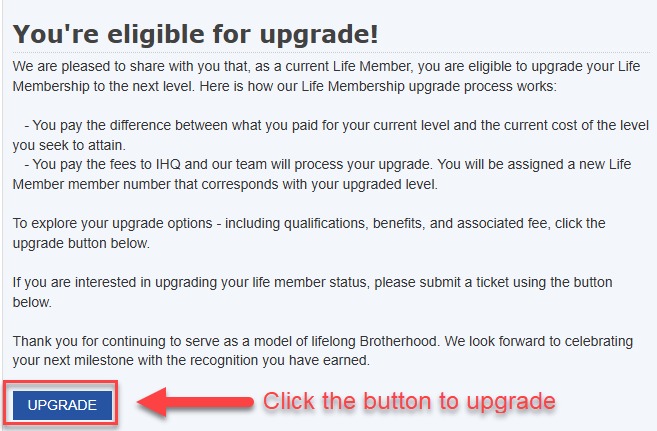
Brothers that are gold and sapphire life members, and are currently financial, can upgrade to another life member level online. To upgrade, log in to Blu Print and navigate to the "life membership status" tab.
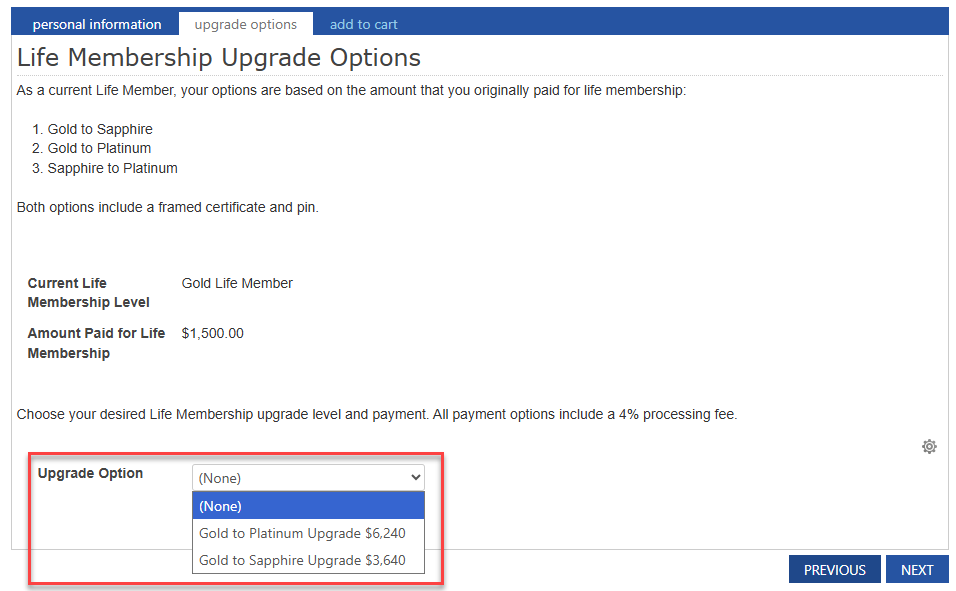
The options available are based on your specific status, which is the difference of the amount you originally paid for life membership and the amount the life member level that you are upgrading to currently costs.
Only eligible brothers will see the dynamic messaging for life membership upgrades.
Accessing the upgrade button
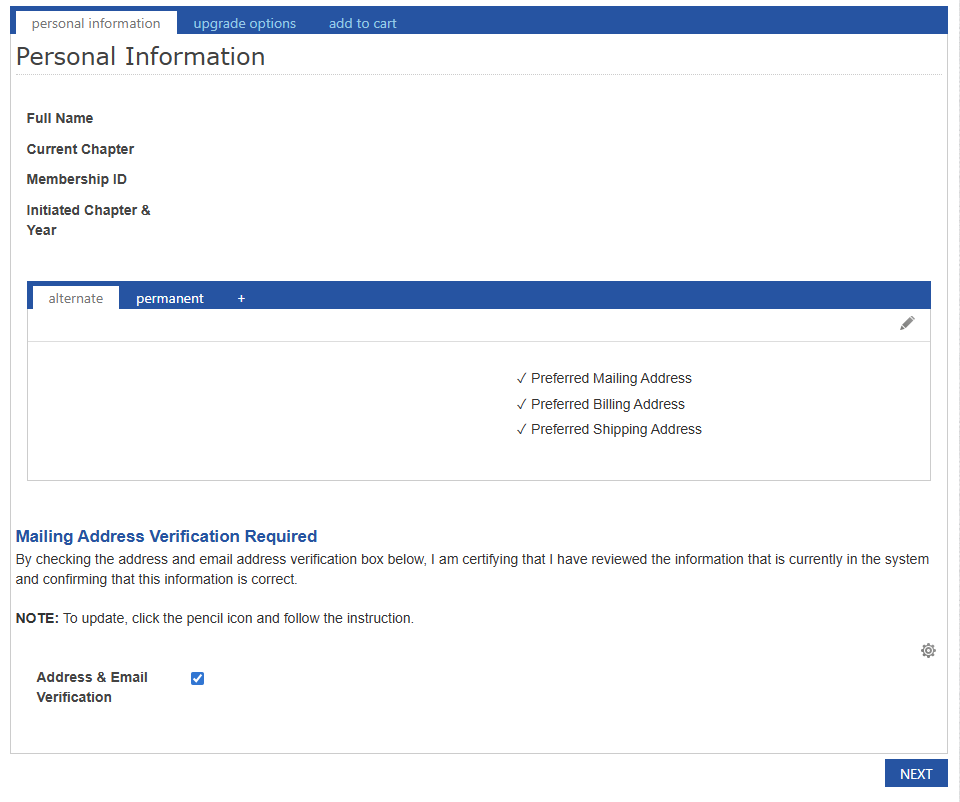
Verify and update personal information
Choose an upgrade option
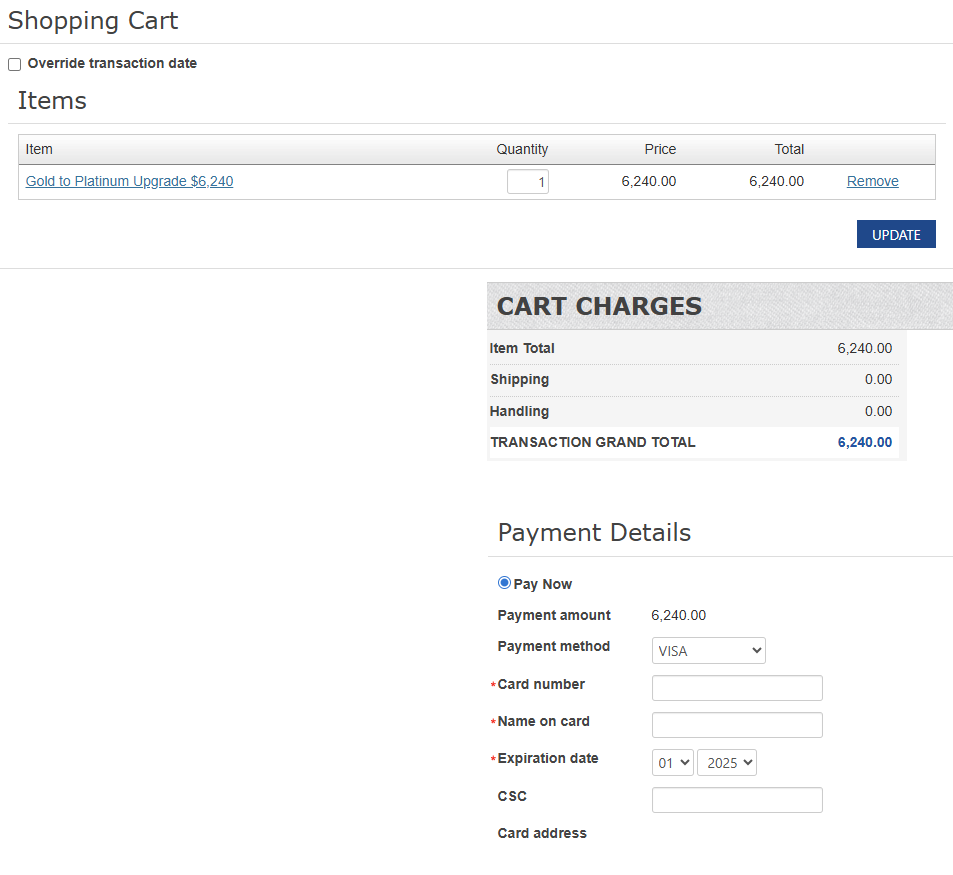
Add selected upgrade to cart & proceed to cart
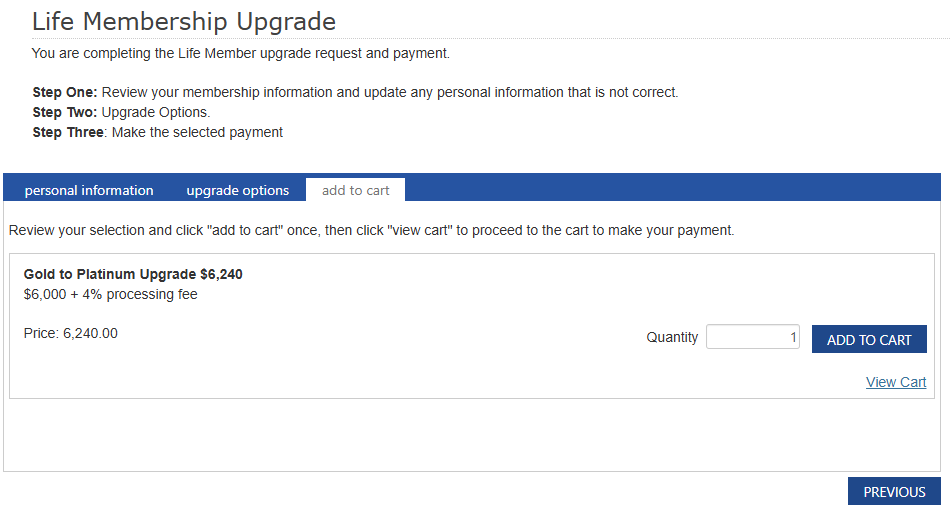
Make payment
Was this article helpful?
That’s Great!
Thank you for your feedback
Sorry! We couldn't be helpful
Thank you for your feedback
Feedback sent
We appreciate your effort and will try to fix the article